Data comes in by itself
Morgana can receive data in many ways. When the source changes, the screens update themselves, and nobody has to remember to do anything.
The sources
If you are missing a source, we are happy to build the integration.
| Source | How it works | Updates |
|---|---|---|
| Each document gets its own email address. When the supplier sends the week's menu, the screen changes by itself. Editors can also get a personal address that puts images and PDFs in the media library. | When the email arrives | |
| Calendars | Google and Microsoft 365, iCloud, Nextcloud, Fastmail, iCal links and events from websites. | Straight away or at a fixed interval |
| Webhooks | Your own systems, sensors and tools such as Zapier, Make and n8n send data, switch screens on and off or change content. | Straight away |
| News and feeds | News channels via RSS, TV content and live streams, and posts from Facebook. | At a fixed interval |
| Spreadsheets and dashboards | Google Sheets and Slides, Power BI, Tableau and Grafana. | Straight away or at a fixed interval |
| Clubs and canteens | Bookings and activities from Conventus, and menus from the supplier's feed. | At a fixed interval |
| PDF links | A link to a PDF, e.g. in Dropbox or another storage service, is fetched again automatically. | At a fixed interval |
| Alerts | Fire alarms and alert feeds can send an emergency message to all screens. | Straight away |
The menu arrives by email
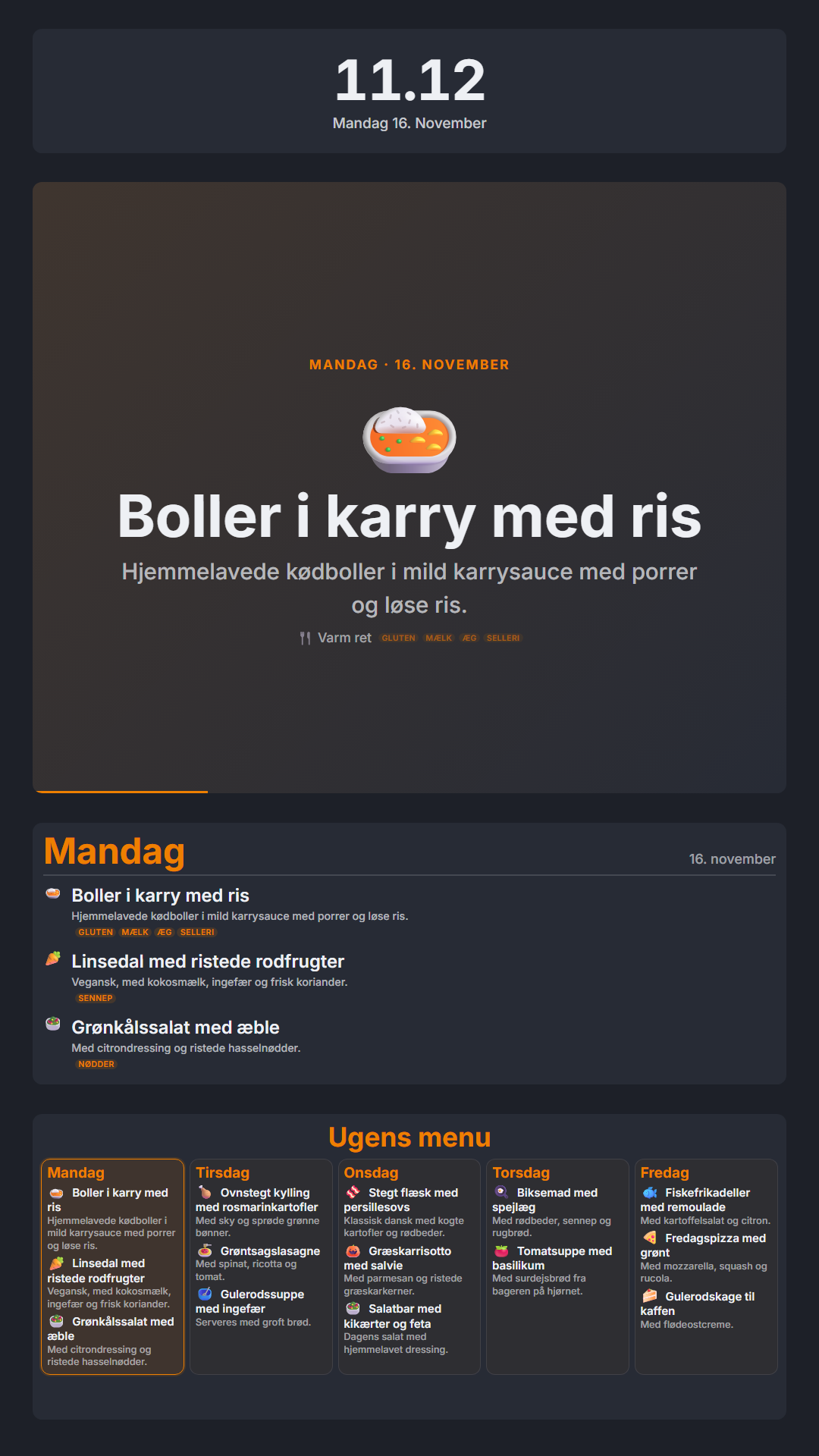
Nobody has to fetch the PDF and upload it. The supplier sends it, and the screen changes by itself.
- When the menu is readyThe supplier sends the PDFThe email goes to the address that belongs to the document.
- Right afterMorgana finds the weekThe week number or the dates are read from the PDF.
- Every dayToday's page is shownMonday to Friday, today's page is shown. At the weekend, the screen switches between all of them.
Every kind of calendar
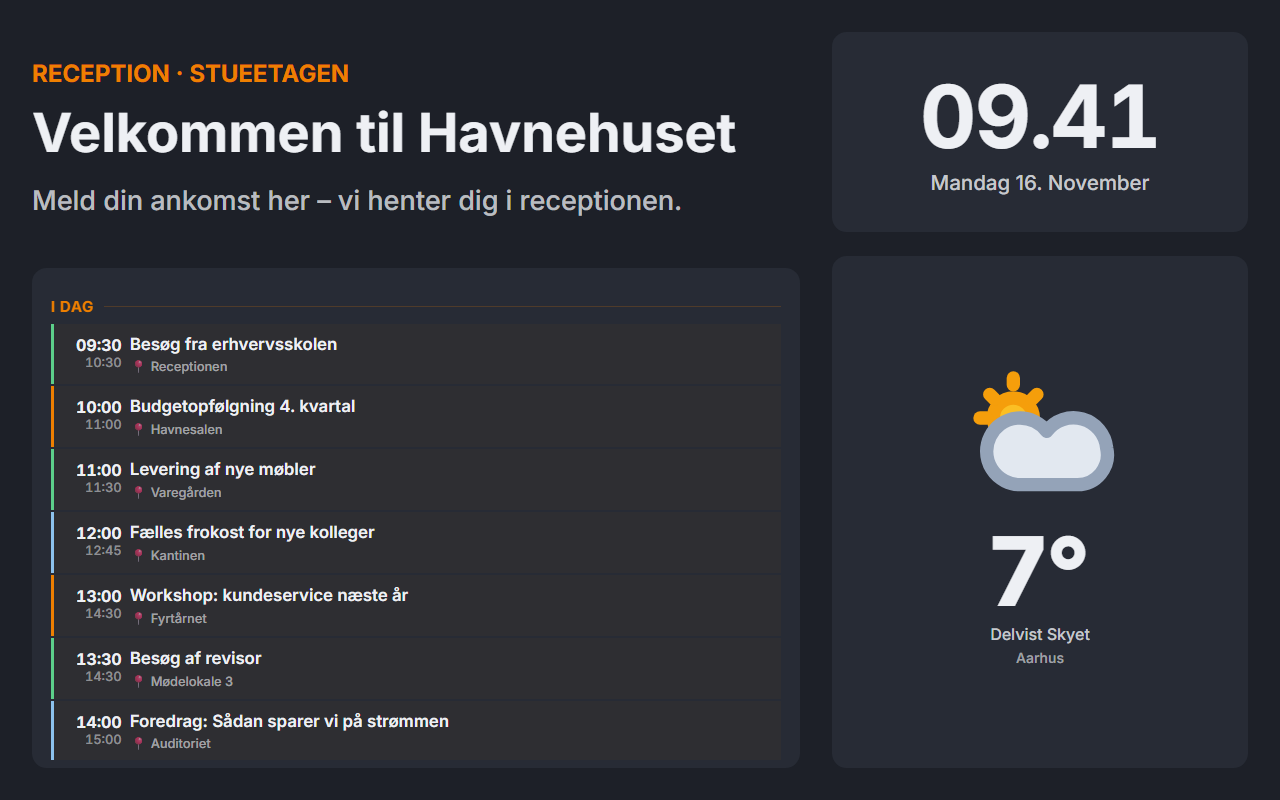
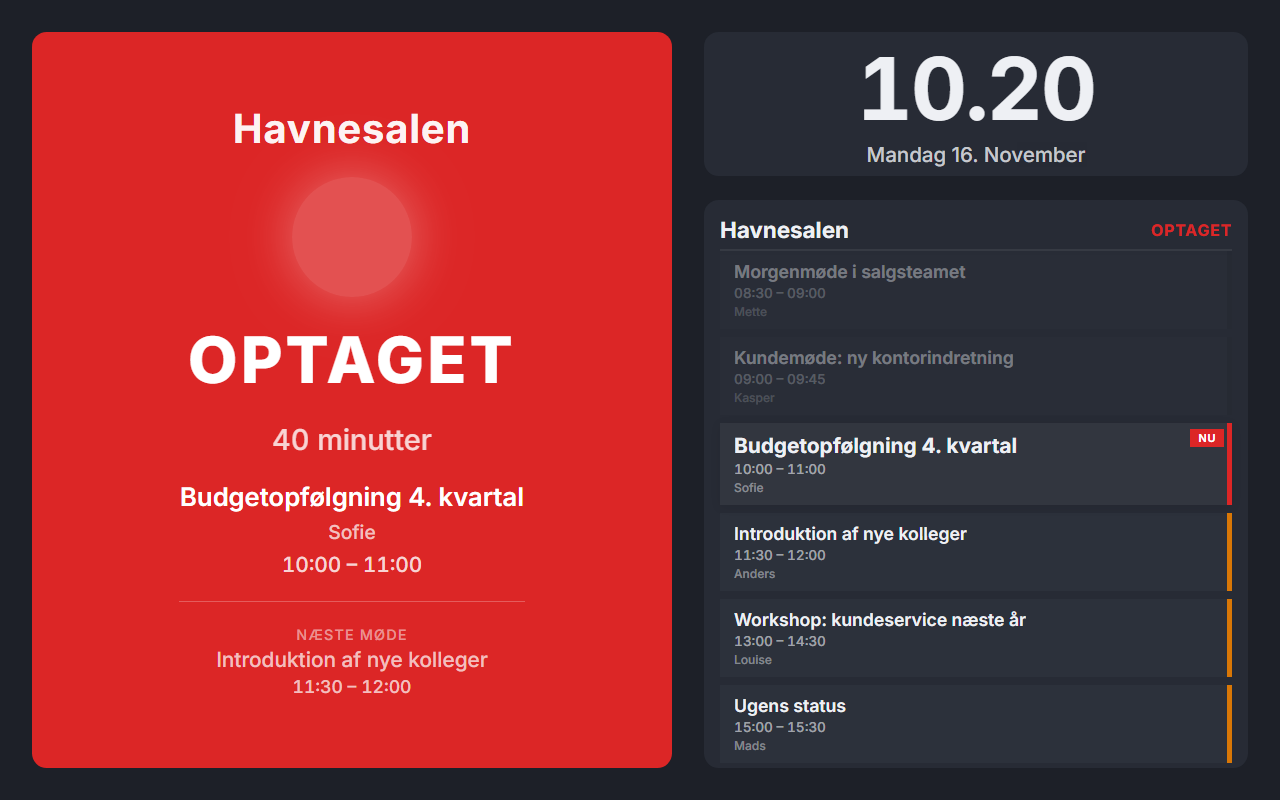
Up to 20 calendars on the same screen, each with its own colour. Show them as an agenda, week, month, ticker or one of the other templates.
- Google and Microsoft 365
- Sign in with your own account, or connect the whole organisation at once without personal logins. We set up the latter for you.
- CalDAV
- iCloud, Nextcloud and Fastmail with a username and password.
- iCal links
- Shared calendars from Outlook, Apple and public Google calendars, including recurring events.
- Websites
- Events from websites with structured data or WordPress calendars.
- Straight away
- Changes in Google and Microsoft calendars can be sent to the screens as soon as they happen.
Webhooks
Let your own systems control the screens. A sensor by the door can switch the screen on, and your system can change the content when something happens.
- On and off
- Switch the screen on when someone comes by, and keep it on for as long as someone is there.
- Change content
- Switch to another page, playlist or web address.
- Message on top
- Show a message on top of the content for anything from 5 seconds to 24 hours.
- Target
- One screen, a group or all screens.
- Security
- Each webhook has its own secret key, can be locked to specific IP addresses and rejects repeated calls.
- Ready-made recipes
- Zapier, n8n, Make, GitHub Actions, Stripe, Twilio, Prometheus and Datadog.
See Morgana with your own screens
15 minutes in which we show what Morgana can do for your screens.